For the complete documentation index, see llms.txt. Markdown versions of all docs pages are available by appending .md to any docs URL.
Azure
Verified : Code examples on this page have been automatically tested and verified.Route agentgateway LLM traffic to models hosted on Microsoft Azure AI.
Configure Microsoft Azure AI as an LLM provider in agentgateway.
Authentication
Before you can use Azure as an LLM provider, you must authenticate by using one of the standard Azure authentication methods. In standalone mode, this authentication is configured with llm.models[] fields (for example, params.apiKey or auth.azure). In routing-based configurations, use policies.backendAuth.azure.
Important
Azure CLI authentication requires az or azd to be installed and signed in. Agentgateway calls the CLI when it needs a token. It does not open an interactive flow or run az login or azd auth login for you. Agentgateway does not bundle either command. Mounting a credential directory such as ~/.azure makes cached login state available inside the container, but it does not install the CLI. Use Azure CLI authentication only when running agentgateway directly on your local machine. If agentgateway runs in a container, use an API key, client secret, managed identity, or workload identity.
Configuration
Azure supports two endpoint types:
- Azure AI Foundry (
foundry): Connect to Azure AI Foundry project endpoints at{resourceName}-resource.services.ai.azure.com. - Azure OpenAI (
openAI): Connect directly to Azure OpenAI Service deployments at{resourceName}.openai.azure.com.
You can add the model in the UI or in your configuration file.
To add the model in the UI, follow these steps. The steps create the same models as the Config file tab.
Optional: To authenticate with an API key, set your API key in the
AZURE_API_KEYenvironment variable. The UI checks that the variable exists when you save the model.export AZURE_API_KEY='<your-api-key>'Create a configuration file with an empty
llmsection, and start agentgateway in the same terminal. Without anllmsection, the UI does not show the LLM > Models page.cat > config.yaml <<'EOF' # yaml-language-server: $schema=https://agentgateway.dev/schema/config llm: models: [] EOF agentgateway -f config.yamlOpen LLM > Models, such as http://localhost:15000/ui/llm/models, and click Add model.
From the Provider dropdown, select Azure.
In the Incoming model match field, replace the default
azure/*with the model name to match, such as*orgpt-4.1.For the Azure credentials, select one of the following options.
- Default: Uses implicit Entra ID authentication.
- Managed: Uses a managed identity. Optionally, enter the client ID of a user-assigned identity.
- API key: Select Env var, and enter
AZURE_API_KEY.
Enter the Azure resource name, such as
your-resource-name.For the Azure resource type, select Foundry or OpenAI. For Foundry, also enter the Azure project name, such as
your-project-name.Optional: Enter an Azure API version. Leave the field empty to use the default.
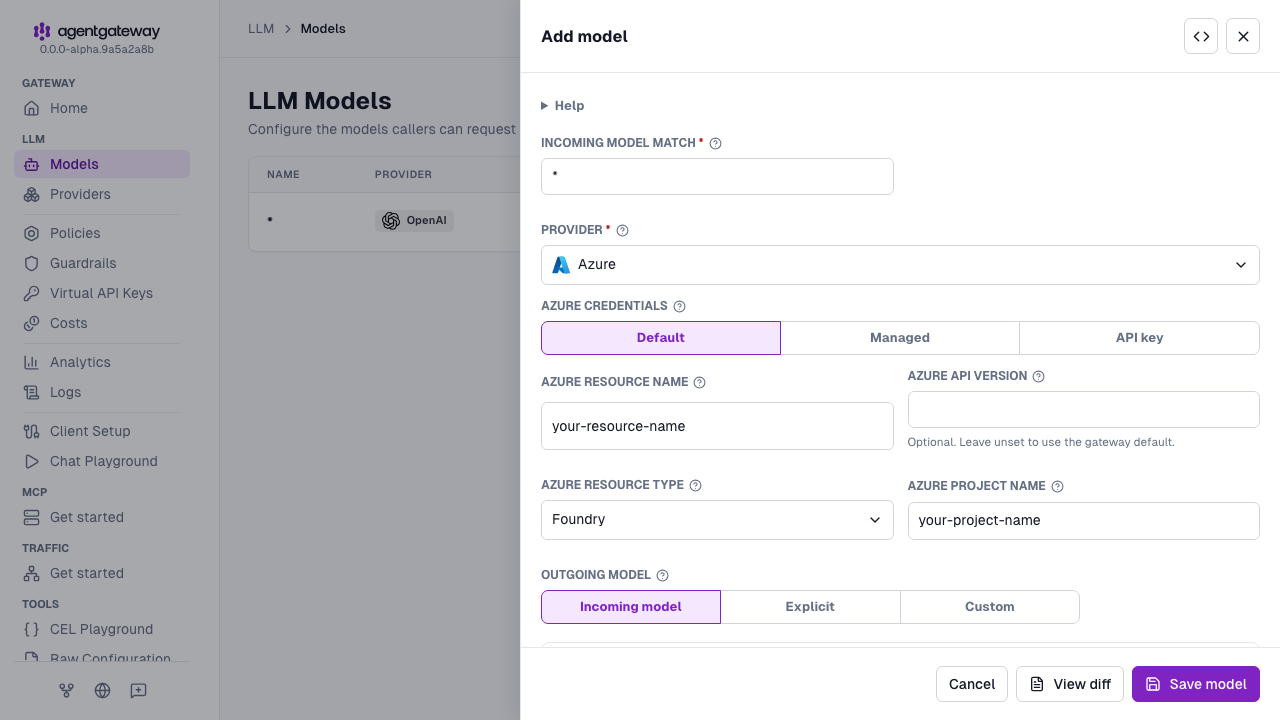
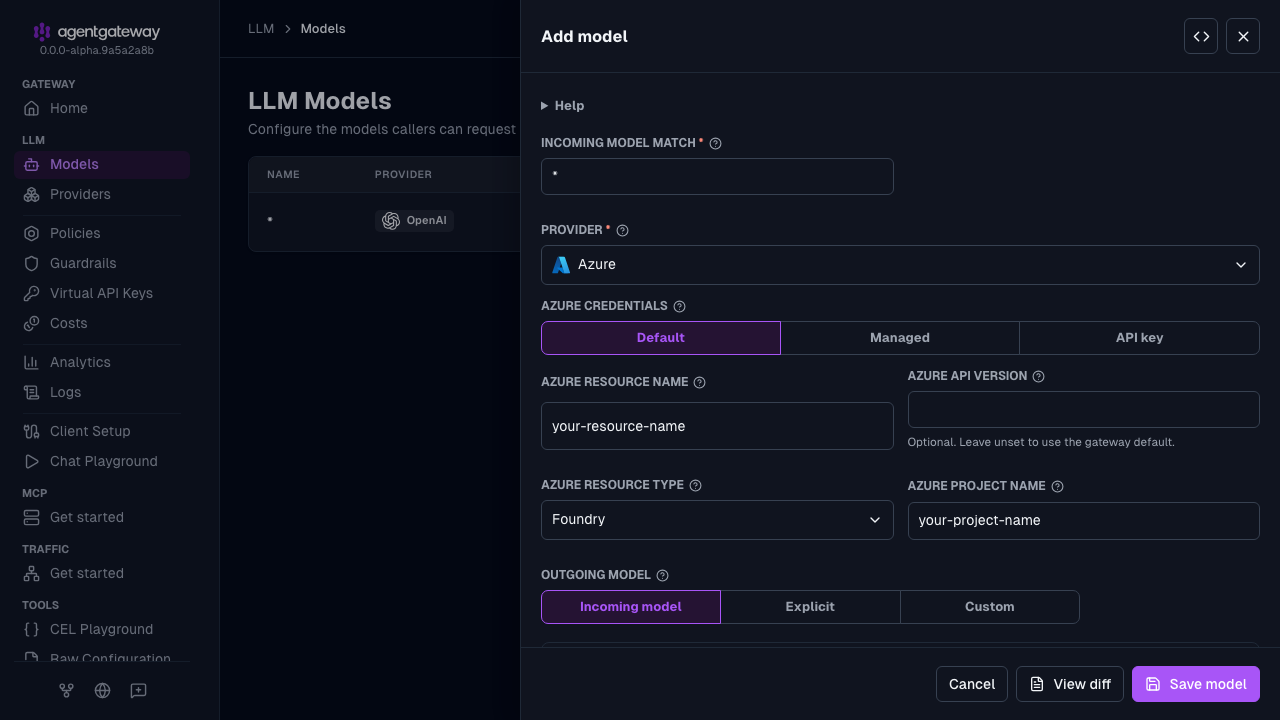
Click Save model.
The API key option saves the key in params.apiKey. The Foundry (API key) example in the Config file tab uses an auth.key block instead, which sends the key in the api-key header. To write that block, click the Raw icon (<>) in the drawer header, or use the Config file tab.
Whether the UI can save depends on your storage mode. For more information, see Save changes from the UI.
Advanced configuration
For advanced Azure AI scenarios, use the traditional listener/route configuration format. The following tabs show examples for different authentication methods.
Azure AI Foundry with implicit auth: Use DefaultAzureCredential to automatically detect credentials from the environment (Azure CLI, managed identity, workload identity, or environment variables).
# yaml-language-server: $schema=https://agentgateway.dev/schema/config
gateways:
  default:
    port: 3000
routes:
- matches:
  - path:
      pathPrefix: /azure
  backends:
  - ai:
      name: azure
      provider:
        azure:
          resourceName: "your-resource-name"
          projectName: "your-project-name"
          resourceType: foundry
          model: gpt-4.1
Review the following example configuration.
| Setting | Description |
|---|---|
ai.name | The name of the LLM provider for this AI backend. |
ai.provider.azure.resourceName | The Azure resource name used to construct the endpoint hostname. |
ai.provider.azure.resourceType | The endpoint type: foundry for Azure AI Foundry, or openAI for Azure OpenAI Service. |
ai.provider.azure.projectName | The Foundry project name. Required for foundry type. |
ai.provider.azure.model | Optionally set the model to use for requests. If set, any models in the request are overwritten. If not set, the request must include the model to use. |
backendAuth.azure.implicit | Use implicit authentication via DefaultAzureCredential, which automatically detects credentials from the environment. |
Use Claude models on Azure AI Foundry
Azure AI Foundry hosts Anthropic Claude models at native Anthropic endpoints. When you set azureResourceType: foundry and a model name that starts with claude-, agentgateway automatically routes requests to the Anthropic-native path (/anthropic/v1/messages) instead of the OpenAI-compatible path, and injects the required anthropic-version header. No extra configuration is needed beyond specifying a Claude model name.
Note
For more information about Claude models on Azure AI Foundry, see the Microsoft documentation.
# yaml-language-server: $schema=https://agentgateway.dev/schema/config
gateways:
  default:
    port: 3000
routes:
- name: azure
  matches:
  - path:
      pathPrefix: /azure-anthropic #prefix example
  backends:
  - ai:
      name: azure
      provider:
        azure:
          resourceName: your-foundry-resource
          projectName: your-project-name
          resourceType: foundry
          model: claude-sonnet-4-6
    policies:
      backendAuth:
        key:
value: your-api-key| Setting | Description |
|---|---|
name | The exact Claude model name to match in incoming requests, such as claude-3-5-haiku-20241022. Use * to match any model name. |
provider | Set to azure for Azure AI Foundry. |
backendAuth.key.value | The Azure AI Foundry API key. You can reference environment variables using the $VAR_NAME syntax. The key is automatically sent in the Authorization header. Other auth method can be applied Backend authentication |
params.azureResourceName | The Azure AI Foundry resource name used to construct the endpoint hostname. |
params.azureResourceType | Set to foundry to use Azure AI Foundry endpoints. |
params.azureProjectName | The Foundry project name. |
After running agentgateway with this configuration, send a request to verify:
curl -X POST http://localhost:4000/azure-anthropic \
  -H "Content-Type: application/json" \
  -d '{
    "max_tokens": 256,
    "messages": [{"role": "user", "content": "Hello!"}]
  }'
Use Microsoft Decision models on Azure AI Foundry
Azure AI Foundry hosts Microsoft Decision models, which answer classification questions about a text, such as which of several choices fits best or how likely a statement is true. agentgateway accepts two request formats for these models:
- Decisions API (
/v1/decisions): The OpenAI-compatible format. agentgateway converts the request and the response to and from the native SystemOne format. For another example of this API, see the Jev guardrail guide. - SystemOne (
/v1/systemone): The native format of the model. agentgateway forwards the request unchanged.
Both formats use the Foundry resource endpoint, https://{resourceName}.cognitiveservices.azure.com/providers/microsoft/v1/systemone. In SystemOne, a question of type noul returns the probability that a statement is true. The Decisions API calls this question type predicate.
Before you begin, deploy Microsoft-Decision-1 in your Foundry resource. Then sign in with the Azure CLI or the Azure Developer CLI as an identity that has inference access to the Foundry resource.
Save the following configuration as
Review the following example configuration.config-decisions.yaml. Replace the resource name and deployment name with your own values.Review the following table to understand this configuration.# yaml-language-server: $schema=https://agentgateway.dev/schema/config llm: models: - auth: azure: developerImplicit: {} name: foundry-decision params: azureResourceName: my-foundry-resource azureResourceType: foundry model: my-decision-deployment provider: azure port: 3000Setting Description nameThe model name that clients send in the modelfield. This name is not the deployment name. A request with any other model name returns a404error.providerSet to azurefor Azure AI Foundry.auth.azure.developerImplicitAuthenticate with the credentials from your Azure CLI or Azure Developer CLI sign-in. params.azureResourceNameThe Azure AI Foundry resource name used to construct the endpoint hostname. params.azureResourceTypeSet to foundryto use Azure AI Foundry endpoints.params.modelThe name of your Foundry deployment. agentgateway sends this name upstream and replaces the modelvalue in the client request.Both request paths are served from the same model. You do not need to configure a route for each path.
Validate the configuration, then start agentgateway.
agentgateway --validate-only -f config-decisions.yaml
agentgateway -f config-decisions.yaml
In another terminal, send a choice question through the Decisions API.
curl --fail-with-body --max-time 120 http://localhost:3000/v1/decisions \
  -H 'Content-Type: application/json' \
  -d '{
    "input": "I was charged twice for my subscription.",
    "model": "foundry-decision",
    "questions": [{
      "choices": [
        {"description": "Payments and invoices", "value": "billing"},
        {"description": "Software problems", "value": "technical"}
      ],
      "instructions": "Which team should handle this support ticket?",
      "name": "department",
      "type": "choice"
    }]
  }'
The response includes a
departmentchoice with a probability for each value, and token usage. The Decisions API also supportspredicateandscorequestions.Send the same question in the native SystemOne format. SystemOne takes the text in
stateand the questions as a map keyed by name, and returns ananswersmap. Its question types arenoul,choice, andscore.curl --fail-with-body --max-time 120 http://localhost:3000/v1/systemone \ -H 'Content-Type: application/json' \ -d '{ "model": "foundry-decision", "questions": { "department": { "criteria": { "billing": "Payments and invoices", "technical": "Software problems" }, "instructions": "Which team should handle this support ticket?", "type": "choice" } }, "state": "I was charged twice for my subscription." }'Note
Prompt guards are disabled for requests in the native SystemOne format.
When you finish, stop agentgateway with Ctrl+C.